

One of the first things I do when I start working with a new Salesforce client is wander through Setup.
I look at the licenses they own. I look at the features they’ve enabled. And I look at the ones they’ve never touched. More often than not, I come away thinking the same thing:
You’re already paying for more capability than you’re using.
That isn’t meant as a criticism. Salesforce is an enormous platform. Every release introduces new features, every implementation has different priorities, and every organization inherits a little history from the teams that came before them. It’s completely understandable that some capabilities get overlooked.
But I also think we have a tendency to assume the solution to every new challenge is another product, another integration, or another shiny new feature. Sometimes that’s true. Often, though, the answer has been sitting quietly in the Setup menu all along.
That’s the spirit behind this Back to Basics series. Before we reach for something new, let’s make sure we’re getting the most out of what we already have.
When people talk about data quality, the conversation usually starts with duplicates or missing fields. Those things matter, but they’re symptoms of something bigger. Good data isn’t just clean data. It’s data that’s collected intentionally, entered consistently, trusted by the people using it, and governed over time.
Governance is one of those words that gets thrown around a lot, but I think it’s actually pretty simple.
Governance is making good decisions repeatable.
Every validation rule, every thoughtfully designed page layout, every report measuring data quality is another way of helping your organization create better information tomorrow than it did today.
As architects, I don’t think we should start by asking, “What Salesforce feature should I turn on?”
I think we should start by asking:
“What problem am I trying to solve?”
Once you understand the problem, Salesforce often already has a capability designed to help.
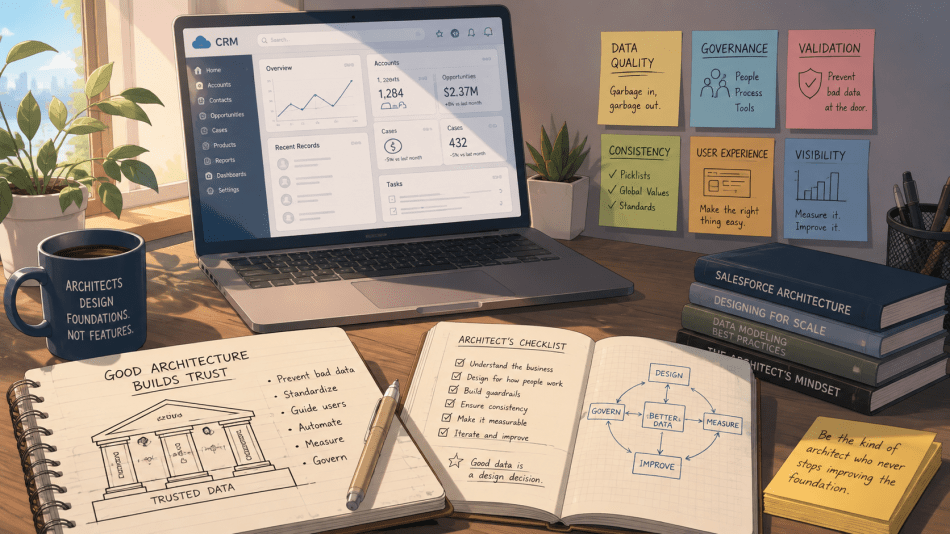
Prevent Bad Data
Bad data is expensive. Preventing it is cheap.
Cleaning up duplicates after they’ve spread across Accounts, Opportunities, Cases, reports, integrations, and dashboards is frustrating. Preventing them from being created in the first place is much easier.
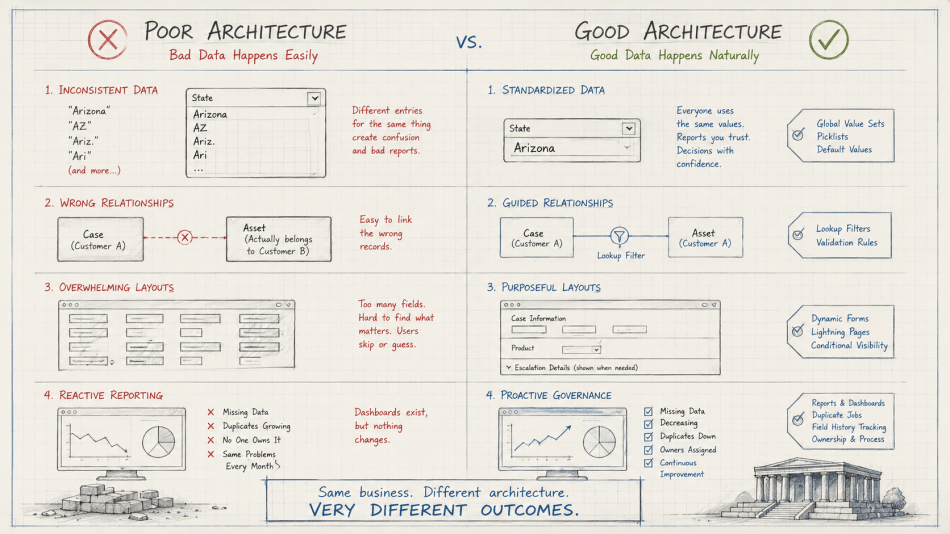
Duplicate Rules and Matching Rules are obvious examples, but they’re far from the only ones. Validation Rules help ensure critical information is entered before a record can move forward. Lookup Filters quietly prevent users from creating relationships that never should have existed.
Imagine a support agent creating a Case. Without a Lookup Filter, they can accidentally associate any Asset in the system, including one that belongs to a completely different customer. The record saves successfully, but now service history is inaccurate, reporting becomes misleading, and the next person working the case is starting from incorrect information.
A simple Lookup Filter prevents that mistake before it ever happens. Most users will never notice it’s there.
That’s good architecture.
The best guardrails are often invisible.
And tomorrow, when someone asks AI to summarize that customer’s service history, it will have the right relationships to work from instead of trying to reason over bad data.
Standardize Data
Consistency creates trust.
Imagine your leadership team asks how many support cases came from customers in Arizona.
One user entered “Arizona.”
Another entered “AZ.”
Someone else entered “Ariz.”
The business asked one question. Your data now has three answers.
Picklists, Global Value Sets, Record Types, Business Processes, and sensible default values all exist to help your organization speak the same language.
Global Value Sets are one of my favorite examples because they solve tomorrow’s problem as much as today’s. If “Complaint Type” exists on Cases, Work Orders, and Product Investigations, wouldn’t you rather manage that list once than remember to update it in three different places?
It’s one of those features I wish Salesforce had introduced sooner and people had adopted more.
State and Country Picklists are another great example. If you’ve been putting them off because your org has years of free-text data, don’t let that stop you. Run the scan. Map the values. Clean up the obvious inconsistencies. Then enable the feature. Every organization has data debt. The important thing isn’t whether it exists. The important thing is deciding to start paying it down.
Standardization isn’t about restricting flexibility. It’s about ensuring everyone describes the same thing the same way.
The more consistent your language is, the more confidence people can have in the insights that come from it, whether those insights come from a dashboard or an AI assistant.
Guide Users Toward Good Data
Good user experience creates good data.
We’ve all opened a record page that seems to scroll forever. Hundreds of fields. Half of them empty. Many of them irrelevant to the task at hand.
When users have to search for the fields they actually need, they eventually stop looking.
I’ve inherited orgs where every possible field had been added to every page layout because someone might need it someday. In reality, nobody knew which fields actually mattered anymore.
Dynamic Forms and Lightning Record Pages let us build experiences that adapt to the work being done. Warranty fields don’t need to appear until a product has been selected. Escalation details don’t need to appear until a Case is actually escalated.
The less users have to think about where to enter information, the more likely they are to enter it correctly.
Great architects don’t force good behavior.
They make it the easiest behavior.
And complete, relevant data will always outperform incomplete data, no matter how clever the prompt.
Reinforce Consistency
Let Salesforce remember what people shouldn’t have to.
We often think about Flow as a tool for automating business processes, but it can be just as valuable for improving data quality.
If every record needs a calculated priority, let Flow populate it. If phone numbers should follow a standard format, automate it. If related records should always stay synchronized, don’t rely on users to remember.
Automation shouldn’t just save clicks.
It should reduce opportunities for inconsistency.
The more routine decisions the platform can make for us, the more time users can spend making the decisions that actually require human judgment.
Govern What Matters
Data quality isn’t a project. It’s a practice.
You can’t improve what you don’t measure.
Reports showing missing information. Dashboards tracking duplicate trends. Duplicate Jobs identifying existing problems. Field History Tracking helping you understand when critical information changes.
These aren’t just administrative tools.
They’re feedback loops.
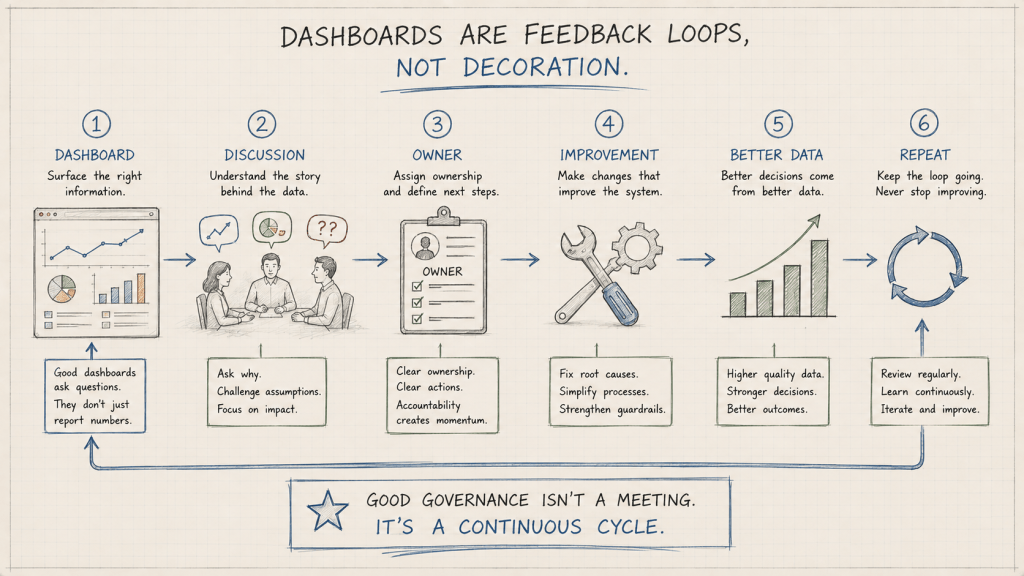
Everyone loves dashboards. In fact, they’re often one of the first requests I hear when starting a project.
“We need a dashboard.”
My next question is usually, “Great. What decision is someone going to make because of it?”
That’s where the conversation often gets quiet.
A dashboard doesn’t improve data quality.
People do.
A dashboard simply helps us see where improvement is needed. Maybe it highlights Cases missing Products. Maybe it shows duplicate Contacts created this week. Maybe it identifies Opportunities missing Next Steps.
But if nobody owns those metrics, understands why they matter, or has a process for improving them, the dashboard quietly turns yellow…then orange…then red…and eventually becomes wallpaper.
I’ve found that the best dashboards aren’t the ones with the most charts. They’re the ones that spark a conversation, assign an owner, and result in someone making the system better.
That’s governance.
Governance isn’t creating reports.
Governance is creating a process where those reports lead to action.
That process doesn’t have to be complicated.
Schedule thirty minutes every couple of weeks with your business stakeholders. Review one area of your data. Ask what’s getting messy. Ask what’s frustrating users. Ask whether it’s user error, a changing business process, or an architectural gap that’s making inconsistent data too easy to create.
Sometimes you’ll discover users need more training. Sometimes you’ll realize your sales process changed six months ago but your picklists, reports, and automation never evolved with it. Sometimes you’ll uncover a better way to model the business altogether.
Those conversations are where governance comes to life.
Just like technical debt, data quality is never “done.”
It requires time. It requires ownership. Most importantly, it requires the discipline to continuously improve instead of accepting “good enough.”
Governance isn’t something you complete and check off a project plan. It’s the ongoing practice of observing how your data is being used, identifying where it breaks down, and intentionally strengthening the architecture that supports it.
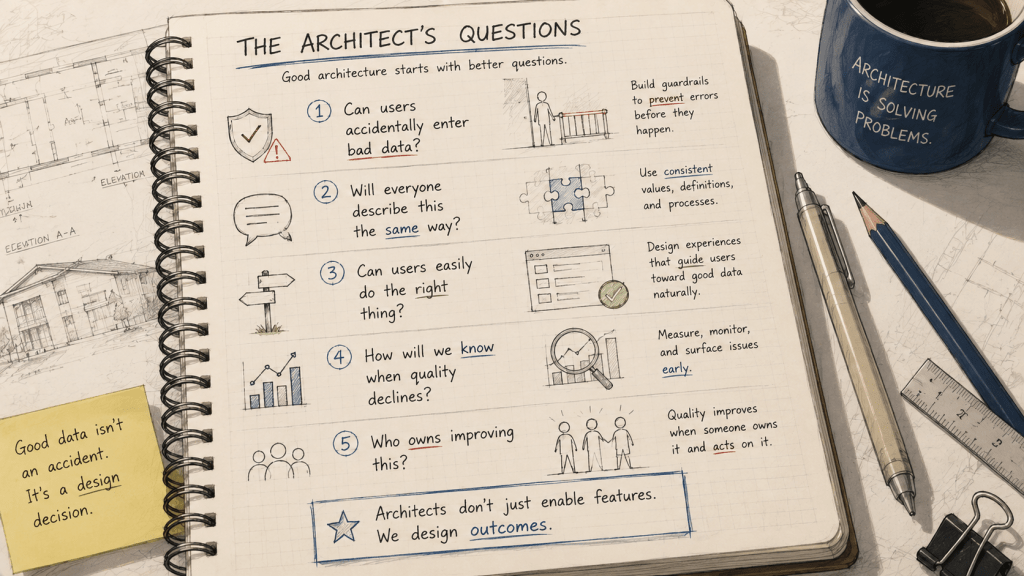
So Where Do You Start?
One of the reasons I love these capabilities is that they’re already sitting in your org. They don’t require another purchase. They don’t require another implementation project. They’re part of the platform many of us already own.
That doesn’t mean you’ll never outgrow them. As organizations mature, solutions like Data Cloud, MDM platforms, and other governance tools can become incredibly valuable.
But they build on a foundation.
They don’t replace one.
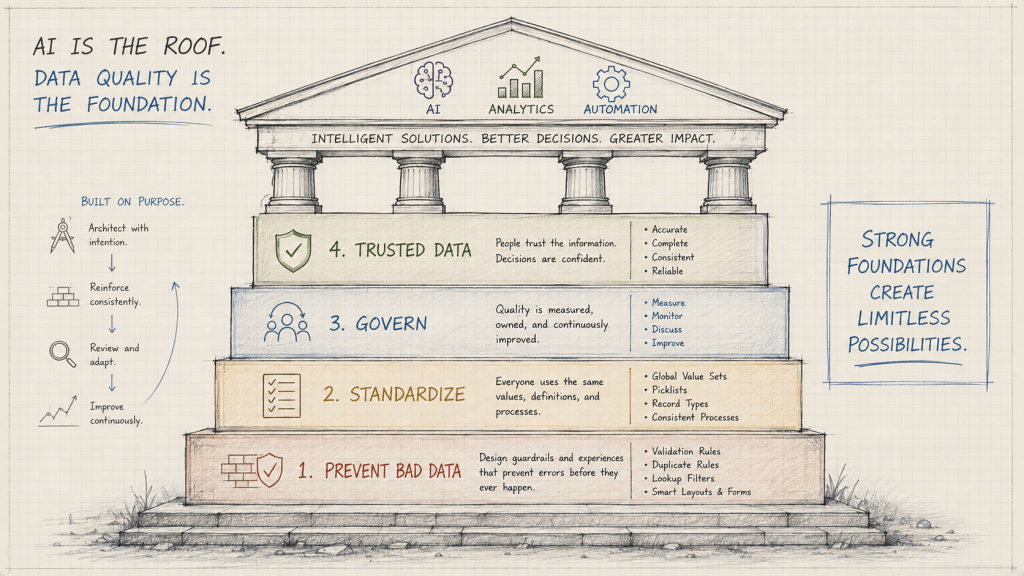
Architectural Maturity
| Level | Mindset | What it looks like |
|---|---|---|
| Level 1 | We’re collecting data. | Information is entered however each user thinks is best. |
| Level 2 | We’re creating consistency. | Basic guardrails create consistency and prevent common mistakes. |
| Level 3 | We’re continuously improving quality. | Data quality is measured, owned, and improved as the business evolves. |
| Level 4 | We trust our information. | People confidently use data to make business decisions because they believe it’s accurate. |
| Level 5 | We’re ready to build intelligent solutions. | AI, Data Cloud, analytics, and automation amplify a foundation of trustworthy, well-governed information. |
Notice that AI isn’t the first step.
It’s the last one.
The recent excitement around AI hasn’t changed what good architecture looks like. If anything, it’s reminded us why these fundamentals have always mattered.
Good prompts are helpful.
But good architecture decides whether those prompts have trustworthy information to work with in the first place.
Good architecture isn’t built in a day.
Neither is good data.
It’s the result of hundreds of intentional decisions, revisited over time, refined as the business evolves, and improved every time you learn something new.
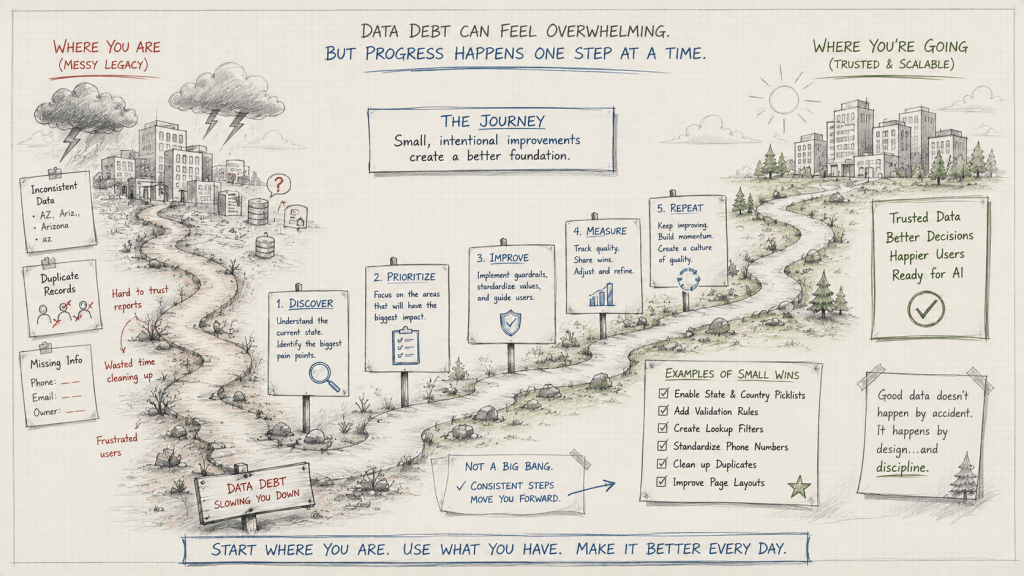
There will always be another feature to explore. Another product to evaluate. Another technology promising to solve yesterday’s problems.
Before you chase the next big thing, take another walk through Setup.
You might discover the next improvement has been waiting for you all along.
Be the kind of architect who never stops improving the foundation.


0 comments on “Back to Basics: Data Quality Is an Architecture Decision”